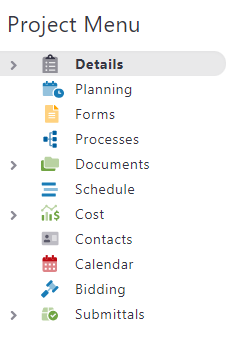
In this video tutorial, we break down the process of navigating through e-Builder. In this first video, we show you how to look for projects and see the difference between Global Tabs and the Project Menu.
In this first video, we are navigating to the "CTA Program Wide" project. We begin at the home screen, and use the "All Projects" section located in the upper right section to use the contextual drop-down menu.
Global Tabs

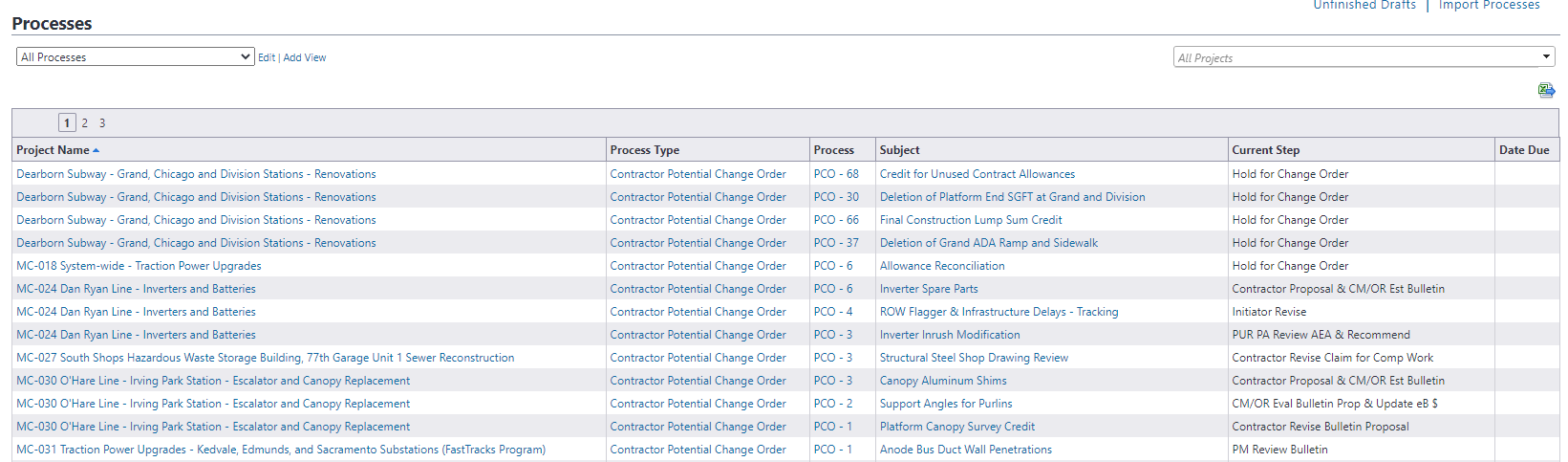
A few things to remember about the global tab is that anytime you click on a module, it takes you to the view of all modules listed in e-Builder for the projects you are an active participant on. For example: When you click on the processes global tabs, it will take you to a view that shows all available viewed processes without regard for project specificity.
Project Menu
In the project menu, this appears on the far left side when you navigate into a project. The easiest way to navigate through the project specific modules would be to click on the project menu tabs and not the Global Tabs.