Purpose
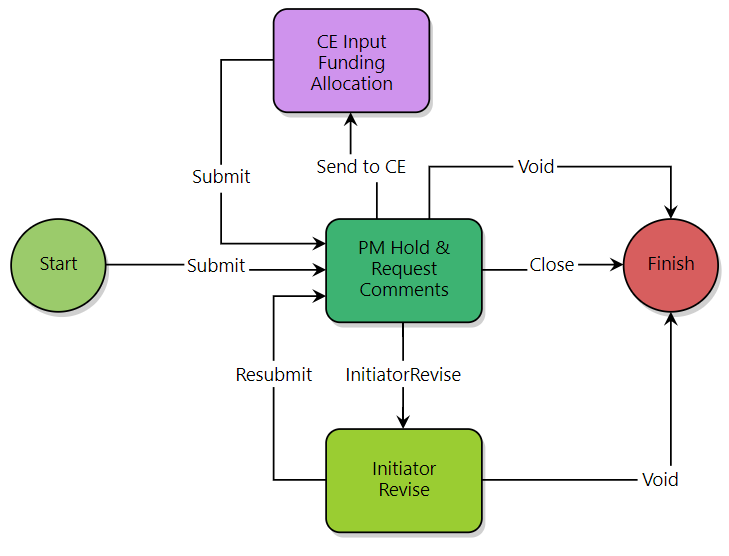
Use this process for review and approval of documents that typically route via paper hard copies.
Procedure
1.Initiator (Consultant, Contractor, etc.) uploads & attaches documentation. Submits to PM.
2.PM obtains approvals from all applicable parties via Request Comment feature.
3.Upon completion, PM closes process.
Permissions
- Available on all e-Builder projects
- All users may initiate
- CTA and Program Manger (TCP) can view all instances
- Others will only see ones they initiated or ones where their comment was requested
- Comments are visible to all
For directions on how when to use, or how to initiate a REA, please click on the process guide below.
Click here for REA Process Guide